Made for teams in the Arab region

HR that moves like lightning.

Barq means lightning in Arabic. BarqHR brings attendance, leave, payroll and your whole team together, with a friendly app for every employee and one clear system for HR.

The Barq app is coming soon to the App Store and Google Play.
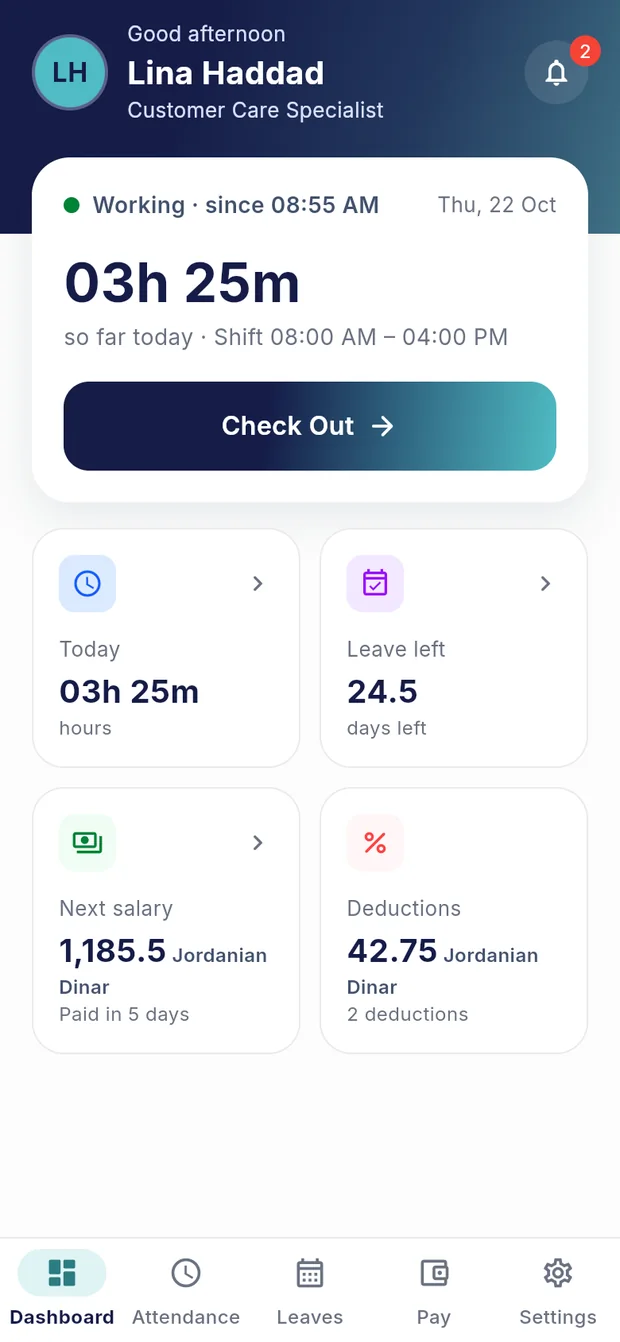
The Barq home screen with today’s hours, leave balance and next salary
Checked in08:55 AM · on time
Leave approved2 days · 2–3 Nov
Payslip is readySeptember 2026

For every employee

A whole workday, in your pocket

No forms, no chasing, no waiting for an email. Everything people ask HR about every week is one tap away.
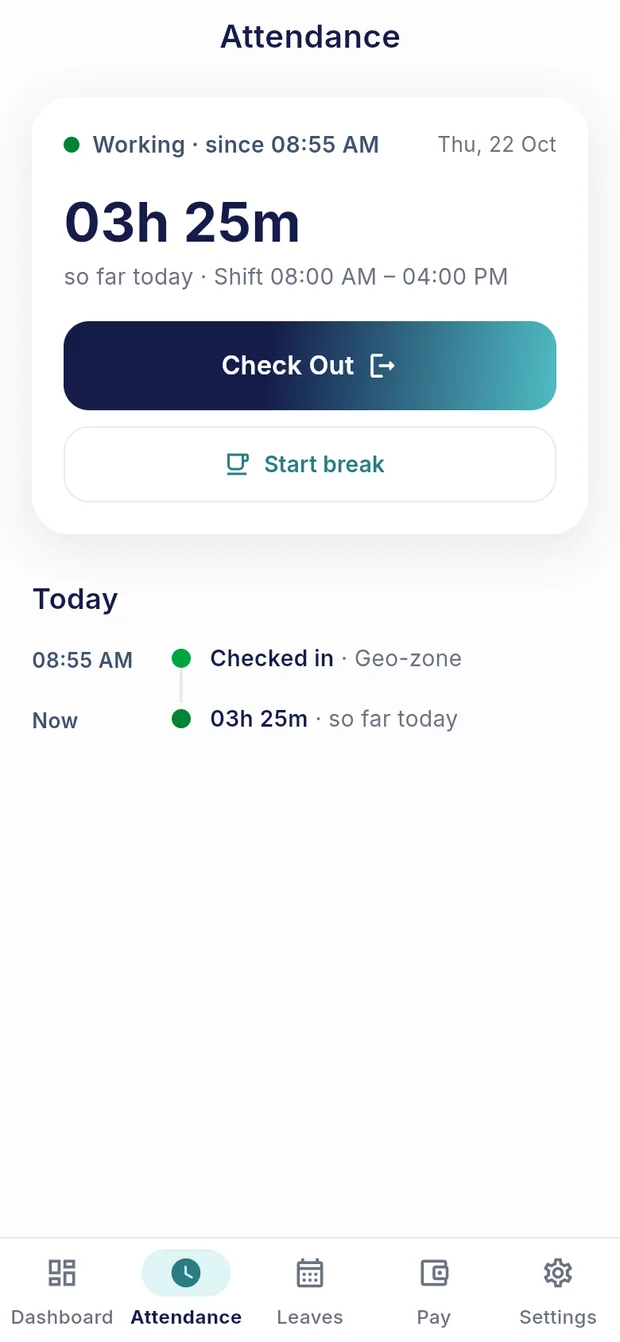
The attendance screen with today’s hours and a check-out button

In the app

Small things that make a day easier

GPS or Wi-Fi check-in

Works from the places your company sets, confirmed with a selfie.

Breaks and overtime

Start a break or ask for overtime, and your hours stay right.

Cash in your leave

See what you can cash in and an estimate before you ask.

Payslips and tax certificate

Every month by year, as a PDF, whenever you need it.

Your ratings

See how your work is rated and what your manager said.

Face ID and fingerprint

Unlock the app with your phone. Barq never receives that data.

Dark mode

Easy on the eyes, early or late.

Arabic or English

Fully right to left. Switch any time.

For HR and managers

See what needs you, the moment you sign in

One web system for the people, the approvals and the numbers, across every branch.
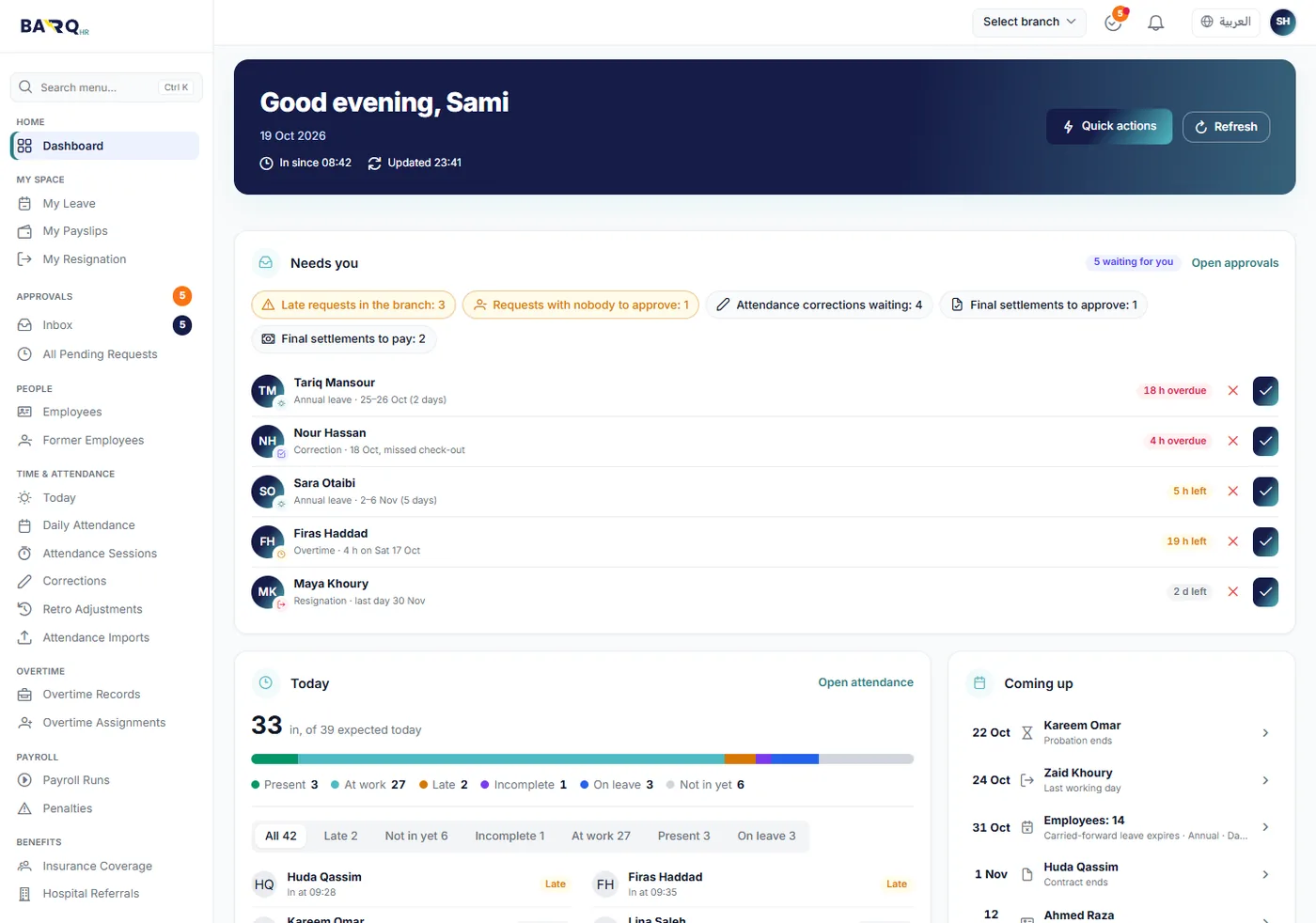
The HR dashboard with waiting requests, today’s attendance and upcoming events
  • One inbox for approvalsLeave, overtime, corrections and more, with deadlines.
  • Payroll you can followFrom attendance to payslips and the bank file.
  • Fix it before payrollMissing details are flagged before they cause errors.
  • Many branches, many countriesCurrency, weekend, holidays and statutory rules per branch.
  • Roles that fit your companyEveryone sees only what their job needs.
  • A record of every changeWho changed what, and when, in an audit trail.

All features

Everything HR needs, connected

Each part feeds the next, so the same number is never typed twice.

OrganizationCompany, branches, departments, jobs, calendars and workplaces
EmployeesRecords, hiring, transfers, promotions, contracts and documents
Time and attendanceSchedules, check-in, breaks, corrections and daily records
LeavePolicies, balances, requests, carry-forward and cash-in
OvertimeRequested or assigned, paid or taken as time off
ApprovalsOne workflow and one inbox for every request
PayrollPay elements, statutory rules, runs, payslips and bank files
BenefitsMedical plans, coverage, dependants and hospital referrals
BudgetingCompany budget, branch allocations, revisions and expenses
Employment endResignations, terminations and final settlements
Performance and talentRatings, ideas, successors, skills and trainings
Reports and dashboardsClear reports, certificates and live dashboards

Privacy

Clear about what we collect

An HR app handles personal data. Here is the short version; the full policy has the details.

Read the privacy policy
  • Location only during workBetween check-in and check-out, to confirm attendance. It stops at check-out.
  • Never for adsWe don’t sell your data, and the app doesn’t track you for advertising.
  • Your face stays privateFaces are detected on your phone. Face ID and fingerprint never reach us.

Questions

Good to know

How do I get an account?

Your employer creates it. When your company uses BarqHR, HR adds you and you get a link by email to set your password. There is no public sign-up.

Does the app track me all the time?

No. The app uses your location only between check-in and check-out, to confirm attendance. It stops when you check out.

Does it work in Arabic?

Yes. The app and the web system both work fully in Arabic and English, with a proper right-to-left layout.

We have branches in different countries. Will it work?

Yes. Each branch can have its own currency, time zone, weekend, public holidays and statutory payroll rules.

How do I ask for my data to be deleted?

Ask your company’s HR, or follow the steps on our data deletion page.

How can our company try BarqHR?

Email us at support@barqhr.com and we’ll show you around.

Ready to give your team a lighter workday?

Tell us a little about your company and we’ll show you BarqHR.

Request a demo